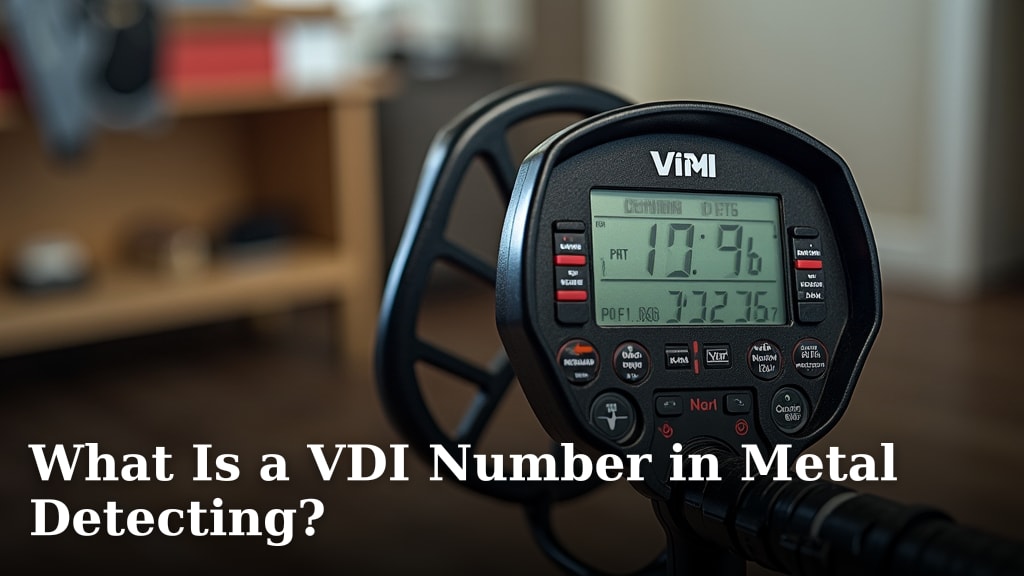
What Is a VDI Number in Metal Detecting?
A VDI number in metal detecting, often called a target ID or discrimination value, is a numerical reading your detector provides. It helps you identify different types of metal underground. A higher VDI number usually means a more conductive target, like silver. Lower numbers often point to less conductive items, like iron. It’s a helpful guide, not a crystal ball.
Understanding your detector’s VDI system is key to improving your finds. Different detectors show these numbers differently. Some use a scale of 0-99, while others have their own unique ranges. Learning your machine’s specific VDI targets for common items like coins, rings, and trash will make your detecting much more efficient.
- VDI stands for Target Identification Number.
- It’s a numerical reading on your metal detector.
- Higher numbers typically indicate more conductive metals (like silver).
- Lower numbers often suggest less conductive metals (like iron).
- It helps you decide whether to dig a target.
Ready to get a better handle on those beeps and numbers? Let’s dive into what that VDI number really means for your metal detecting adventures. Our guide explains how effective metal detectors are and what affects their performance.
Understanding Your Metal Detector’s Target ID Number
You’ve probably seen it on your metal detector’s screen: a number that changes as you sweep over something in the ground. This number is often called a Target ID or VDI number. It’s your detector’s way of giving you a hint about what might be buried beneath your coil. Think of it as a quick, educated guess. It’s not a perfect science, but it’s a powerful tool to help you decide if that target is worth digging up.
So, what does this number truly represent? Simply put, it’s a conductivity reading. Your detector sends out an electromagnetic field. When this field hits metal, it creates a response. The type of metal and its shape affect how it responds. Your detector measures this response and translates it into a number. This number helps you differentiate between various targets without having to dig every single signal.
What Does VDI Stand For?
VDI stands for Visual Display Indicator. While some people refer to it as Target ID, VDI is often more specific to the visual number displayed. Different manufacturers might use slightly different terms, but the core concept remains the same. It’s a digital representation of the signal your detector is receiving. It aims to give you a more objective reading than just the tone of the audio. This visual cue is what many detectorists learn to trust over time.
How Does the VDI Number Relate to Metal Types?
The VDI number is largely based on the conductivity of the metal. Highly conductive metals tend to produce higher VDI numbers. Less conductive metals usually result in lower VDI numbers. It’s like trying to push something through water versus pushing it through molasses. Water offers less resistance, just like a highly conductive metal offers less resistance to your detector’s signal.
Understanding Conductivity
When we talk about conductivity in metal detecting, we’re referring to how easily electricity can flow through a metal. Metals like copper and silver are excellent conductors. They let electricity pass through them with very little resistance. This high conductivity creates a strong, distinct signal that your metal detector registers as a higher VDI number. You might see numbers in the 70s, 80s, or even 90s for these types of targets.
Low Conductivity Targets
On the other end of the spectrum, you have metals like iron. Iron is a poor conductor and is also magnetic. These properties mean it has high resistance to the electromagnetic field. Your detector will typically register iron and other ferrous metals with low VDI numbers. These can range anywhere from 0 to 30, depending on the specific detector and the item. Many detectorists choose to “discriminate” out these low VDI signals to avoid digging up nails and trash.
Mid-Range Targets
Many common targets fall into the middle range. This includes things like pull tabs, foil, and some types of jewelry. These metals have moderate conductivity. Their VDI numbers can overlap. For example, a zinc penny might read in a similar range to a pull tab. This overlap is why VDI numbers are a guide, not a definitive answer. You’ll often see numbers in the 40s, 50s, and 60s here.
| Metal Type | Typical VDI Range | Notes |
|---|---|---|
| Iron (Nails, etc.) | 0-30 | Ferrous, often rusty. Can be erratic. |
| Foil, Small Brass | 30-50 | Can sometimes mimic coins. |
| Pull Tabs, Zinc Pennies | 40-60 | Very common trash targets. |
| Aluminum, Copper Coins | 60-80 | Good targets like wheat pennies, clad coins. |
| Silver Coins, Rings | 75-95+ | Highly conductive, usually good signals. |
Does Every Detector Show the Same VDI Numbers?
This is a really important question, and the answer is no. The VDI numbers you see are specific to your metal detector’s design and programming. A VDI reading of 75 on one brand might be different on another. Some detectors use a scale of 0-99, while others might have different scales or even segmented ranges for specific metals. You can’t directly compare VDI numbers from one detector to another.
Manufacturer Differences
Each metal detector manufacturer has its own way of interpreting the signal and assigning a VDI number. They use different algorithms and processing technologies. For instance, a brand known for its coin-shooting capabilities might have a VDI system finely tuned to differentiate common coins. Another brand might focus on relic hunting and might have a VDI scale that better identifies historical artifacts.
Learning Your Machine’s Language
The best way to understand VDI numbers is to learn your specific machine. Take some time to test it in your yard or a park. Place different targets – coins, pull tabs, nails, rings – on the ground and see what VDI numbers they produce. Sweep them at different angles and depths. This hands-on practice will build your confidence. You’ll start to recognize the patterns for the targets you’re most interested in finding.
Using VDI Numbers to Improve Your Hunting
So, how do you actually use this information when you’re out detecting? The VDI number gives you a crucial piece of information to help you make a digging decision. It works hand-in-hand with the audio tones your detector provides. Most detectorists develop a system that combines both.
The Art of Digging Decisions
When your detector signals, you’ll get an audio tone and a VDI number. If you’re hunting for silver coins and you get a strong, repeatable tone in the 80-95 range, that’s a very promising signal. You’ll likely want to dig that. If you get a choppy, inconsistent tone with a VDI number in the low range (like 10-20), it’s probably a rusty nail. Many hunters will choose to ignore or “discriminate” these targets.
What about the middle? A pull tab often gives a mid-range number, but the tone might be inconsistent or jumpy. A nice clad coin might give a similar number but with a cleaner, more stable tone. This is where experience comes in. You’ll learn to listen to the audio and watch the VDI number, trusting the combination. It’s like a detective piecing together clues.
Discrimination: A Double-Edged Sword
Most metal detectors have a discrimination feature. This allows you to set a VDI threshold. Targets below this threshold will be silenced, or their audio tone will be altered. For example, if you set your discrimination to ignore all targets below VDI 40, you won’t hear signals from iron nails. This is incredibly useful for filtering out trash.
However, discrimination isn’t perfect. Sometimes, desirable targets can be found near iron. A gold ring, for example, might read in a VDI range that could be masked by nearby iron. Some detectorists prefer to dig more targets and sort them out later. Others use a low discrimination setting. It’s a balance you’ll find through practice. We’ve found that many experienced hunters prefer a very low discrimination setting or even none at all, to avoid missing good finds (National Park Service).
What Factors Can Affect VDI Readings?
It’s important to remember that the VDI number isn’t set in stone. Several environmental factors can influence the reading you get:
- Depth of the Target: Deeper targets often produce weaker signals, which can sometimes lower the VDI reading.
- Size and Shape: A large flat piece of metal will respond differently than a small, round piece of the same metal.
- Ground Mineralization: Highly mineralized soil can interfere with your detector’s signal. This can cause VDI numbers to fluctuate.
- Orientation of the Target: How the target is lying in the ground (flat, on its edge, etc.) can change the signal.
- Coil Overlap: Ensure you’re getting good coil coverage. Skipping areas can lead to weak or erratic signals.
These factors mean you should always try to get a stable, repeatable signal. Sweep the target from multiple directions. If the VDI number stays consistent and the audio tone is solid, you’re more likely to have a good target. If it jumps around a lot, it might be trash, or it might be something interesting that’s difficult to pinpoint.
Key Takeaways for Your Detecting Adventures
Let’s recap the essentials to keep in mind as you get more familiar with your VDI numbers:
- VDI is a guide, not a guarantee. It helps you make informed digging decisions.
- Numbers vary by detector. Learn your specific machine’s VDI scale.
- Conductivity matters. High conductivity (silver, gold) usually means higher numbers.
- Iron reads low. These are often trash targets.
- Practice makes perfect. Test targets to learn what your detector says.
- Combine VDI with audio tones. The best results come from using both clues.
Conclusion
Understanding your metal detector’s VDI number is key to smarter detecting. It’s not about magic numbers, but about using clues your detector gives you. Remember that VDI numbers are unique to your machine, so learning its specific language is essential. Practice with known targets to build your confidence. By combining VDI readings with audio tones and considering environmental factors, you’ll make better digging decisions. This skill will help you find more of what you’re looking for and leave more trash in the ground.
Frequently Asked Questions
Can I compare VDI numbers from my detector to my friend’s detector?
No, you cannot directly compare VDI numbers between different metal detectors. Each manufacturer uses its own unique scale and programming to interpret signals. What reads as a 75 on your machine might be a completely different value on someone else’s.
What is the most common metal that gives a low VDI number?
The most common metal that gives a low VDI number is iron. This includes items like rusty nails, screws, and old metal scraps. Many detectorists use discrimination to ignore these signals and avoid digging them.
Does a high VDI number always mean a valuable target?
Not necessarily. While high VDI numbers often indicate conductive targets like silver or gold, they can also be produced by other items. Things like certain types of foil or modern pull tabs can sometimes fall into higher VDI ranges, so it’s important to use context.
How does ground mineralization affect VDI readings?
Ground mineralization can interfere with your detector’s ability to read targets accurately. Highly mineralized soil can cause VDI numbers to fluctuate or appear erratic. You might need to adjust your detector’s settings or learn to interpret these unstable signals.
Should I always dig targets with a high VDI number?
It’s generally a good idea to investigate high VDI numbers, especially if you get a clear, repeatable signal. However, always consider the audio tone and any other clues your detector provides. Experience will teach you to better judge whether a high VDI reading is worth the effort of digging.